What Are YouTube Video Dimensions
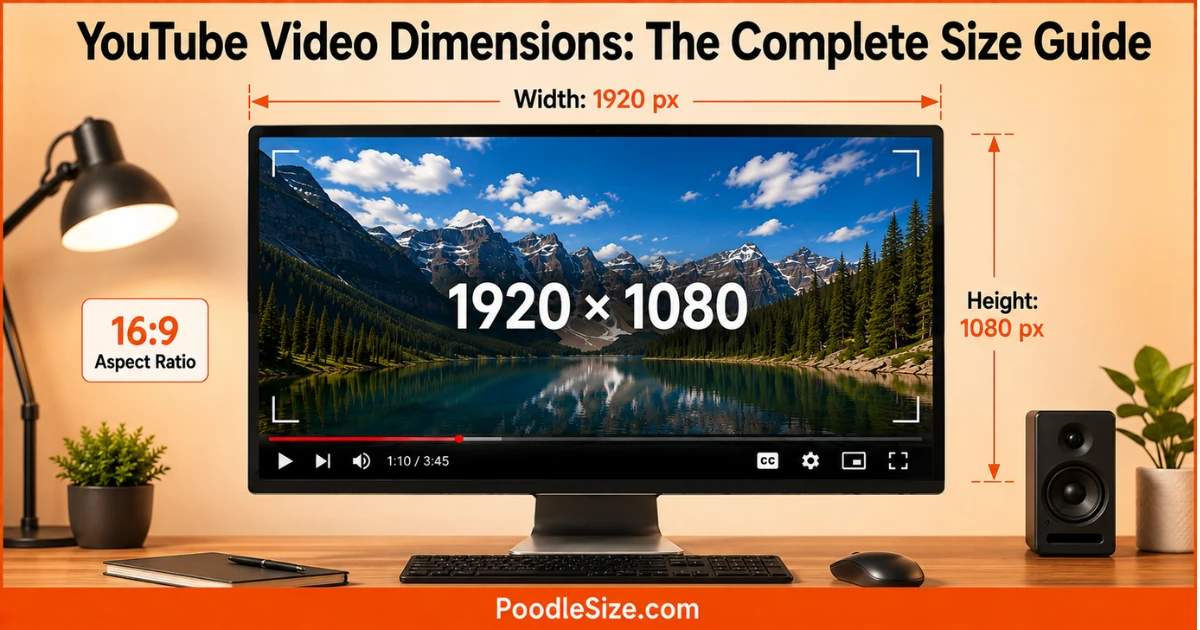
The standard YouTube video dimensions are 1920 × 1080 pixels with a 16:9 aspect ratio.
For YouTube Shorts, the recommended size is 1080 × 1920 pixels in vertical 9:16 format.
4K YouTube videos use 3840 × 2160 pixels, while 720p uses 1280 × 720 pixels.
Choosing the correct dimensions keeps videos sharp and prevents unwanted cropping or black bars.
Why YouTube Video Dimensions Matter for Quality and Reach
Correct video dimensions affect three things: clarity, viewer retention, and how your content looks across devices. A video shot in the wrong dimension often gets auto-cropped or padded by YouTube’s player, which weakens visual impact instantly.
Viewers scroll fast. A blurry or oddly framed video loses attention within seconds. Matching the right dimensions for YouTube keeps your content sharp on phones, laptops, and smart TVs alike.
Dimensions vs Resolution vs Aspect Ratio
These three terms get mixed up constantly, so here’s the simple breakdown.
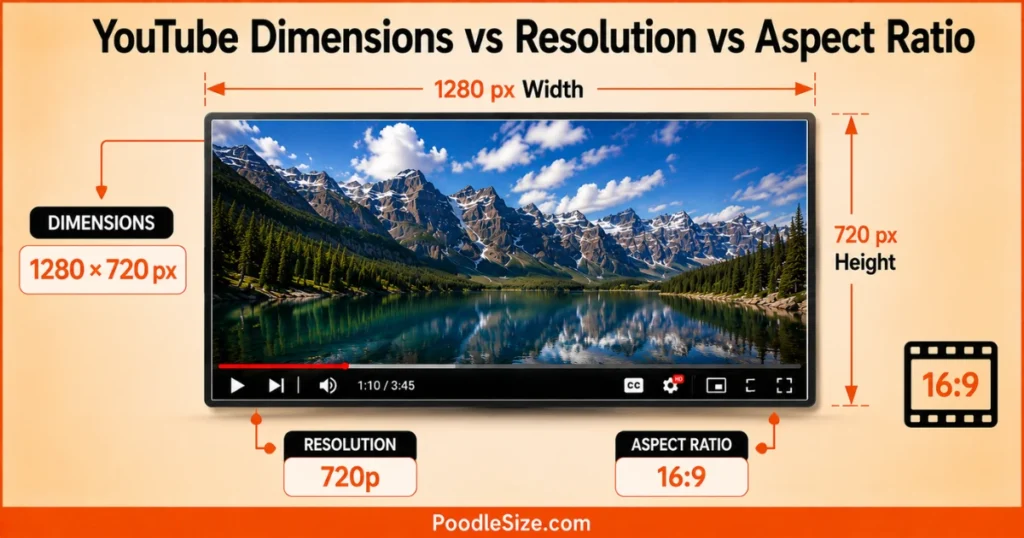
Dimensions are the exact pixel width and height, like 1280×720.
Resolution is the quality level tied to those dimensions, like 720p or 1080p.
Aspect ratio is the shape of the video, expressed as a ratio like 16:9 or 9:16.
Think of it this way: aspect ratio is the shape of a picture frame, resolution is the sharpness of the photo inside it, and dimensions are the actual pixel count that creates both.
Standard YouTube Video Dimensions by Resolution
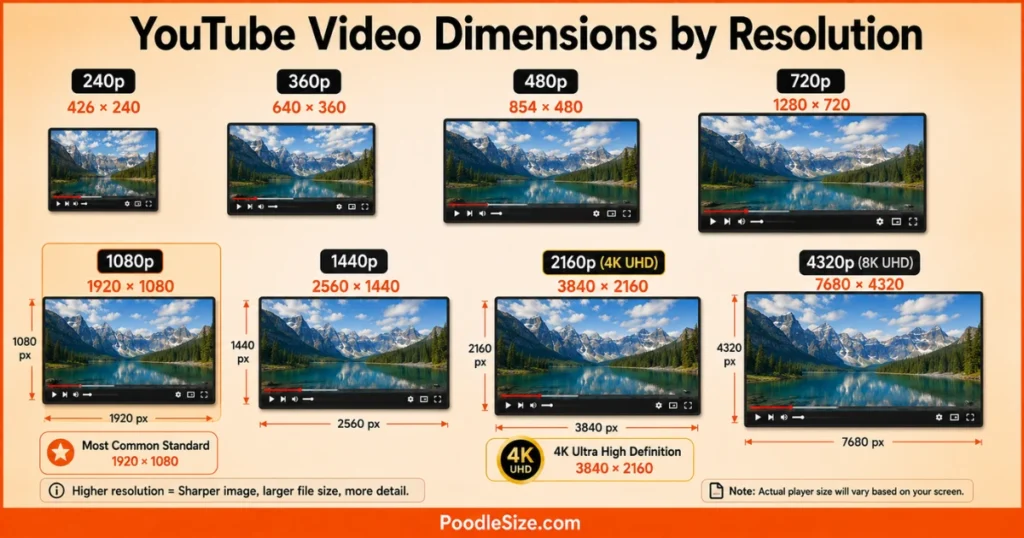
YouTube supports a wide range of video dimensions, from tiny 240p files to massive 8K uploads. Most creators never need anything beyond 1080p or 4K, but knowing the full range helps you plan smarter.
YouTube Video Dimensions Chart
| Quality | Dimensions | Common Use |
|---|---|---|
| 240p | 426 × 240 | Slow connections |
| 360p | 640 × 360 | Low-bandwidth mobile viewing |
| 480p | 854 × 480 | Smartphone-quality video |
| 720p HD | 1280 × 720 | Entry-level HD video |
| 1080p Full HD | 1920 × 1080 | Industry standard |
| 1440p | 2560 × 1440 | Large monitors |
| 2160p 4K UHD | 3840 × 2160 | 4K video production |
| 4320p 8K | 7680 × 4320 | Premium production |
Recommended Dimensions for Best Quality
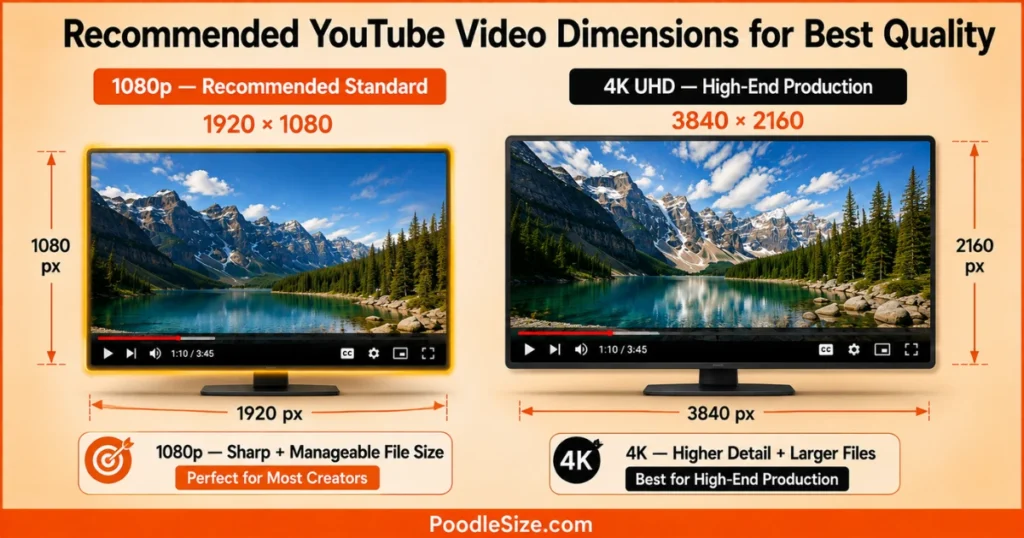
For most YouTube channels, 1920×1080 (1080p) is the sweet spot. It balances sharp visual quality with manageable file size and fast upload speed.
If you’re producing high-end tutorials, product demos, or cinematic content, 3840×2160 (4K) gives noticeably crisper detail, especially on large screens. Just know that 4K files take longer to upload and process.
There’s rarely a reason to go below 720p for a modern channel. Lower dimensions save space but sacrifice the polish viewers now expect.
YouTube Video Dimensions by Format Type
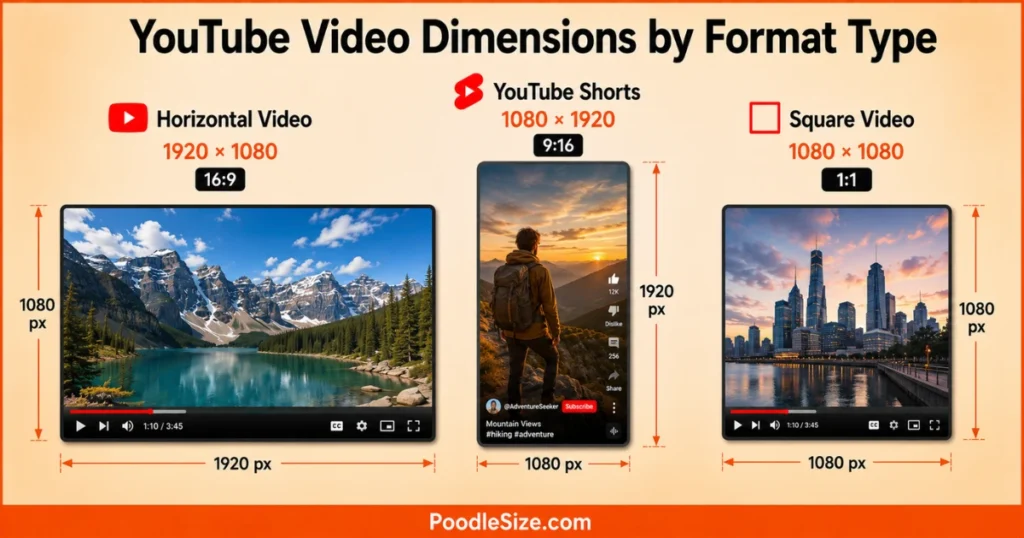
Not every video on YouTube is horizontal anymore. Your video dimensions should match the format you’re creating, whether that’s a long-form video, a Short, or a square clip for cross-posting.
Horizontal Video Dimensions
Horizontal videos use the classic 16:9 aspect ratio, with 1920×1080 as the most common dimension. This format fits desktop screens, TVs, and the standard YouTube player perfectly.
If you’re filming with a smartphone, simply rotate it sideways before recording. Most cameras default to portrait mode, and shooting horizontal for a widescreen video needs deliberate setup.
YouTube Shorts Dimensions
Shorts use a vertical 9:16 aspect ratio, with 1080×1920 as the recommended dimension. This format is built for mobile viewing, where users hold their phone upright.
Shorts also cap out at 60 seconds in length. Keeping your dimensions correct from the start avoids awkward cropping when YouTube converts your upload into the Shorts feed.
Square and Legacy Video Dimensions
Square videos use a 1:1 aspect ratio, typically 1080×1080. This shape works well for repurposing content across Instagram and other square-friendly platforms.
The older 4:3 aspect ratio is mostly a relic of early television. YouTube still supports it, but expect black bars on the sides since modern screens are built for widescreen content.
How to Set the Right Dimensions Before Uploading
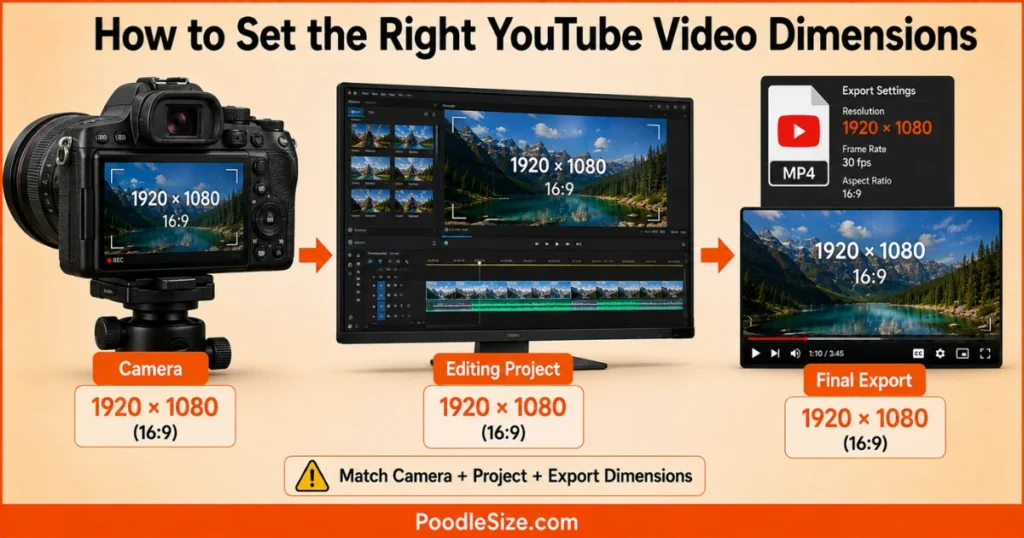
Getting your video dimensions correct starts before you even hit record, not after editing is finished.
Choosing Dimensions Based on Your Camera or Software
Most modern cameras and smartphones default to 1920×1080 or higher. Check your camera settings before filming, and match your editing software’s project settings to the same dimension.
Editing in a mismatched dimension is one of the most common beginner mistakes. If your footage is 1080p but your project is set to 720p, you lose quality unnecessarily.
Common Mistakes That Cause Black Bars or Cropping
Uploading a square or vertical video without adjusting your export settings often triggers black bars on desktop viewing. YouTube fills the empty space rather than stretching your content, which can look unprofessional.
Cropping happens when your dimensions don’t match your intended aspect ratio. A video shot vertically but exported as 16:9 will lose key parts of the frame, often cutting off faces or text.
Best File Format to Pair With Your Dimensions
MP4 with an H.264 codec is the format YouTube recommends most. It pairs efficiently with any of the standard dimensions above and keeps upload times reasonable.
Matching correct dimensions with the right file format ensures YouTube processes your video quickly and displays it at full quality once it’s live.
Dimensions for Thumbnails and Channel Assets
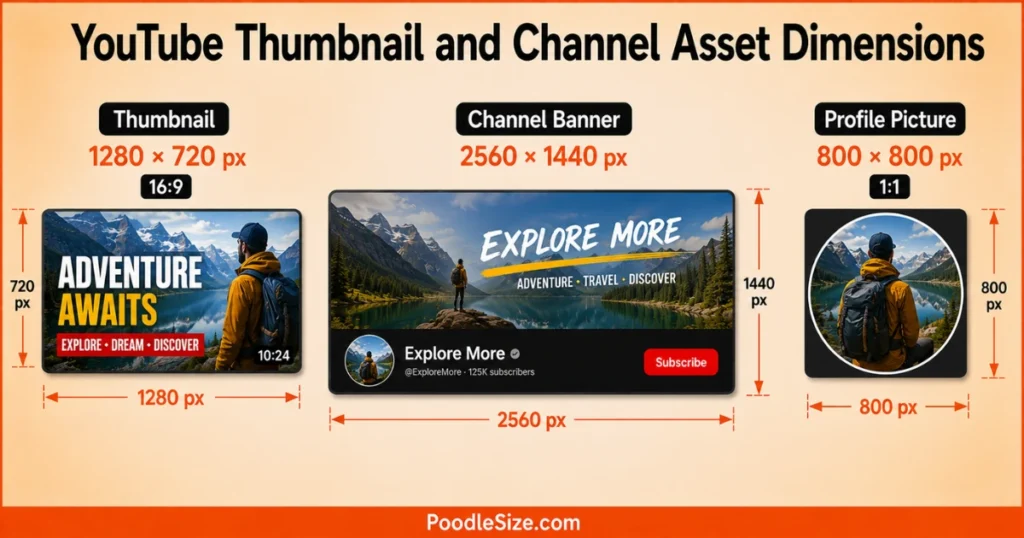
Your video isn’t the only element with size requirements. Thumbnails and channel branding need matching dimensions too, or they’ll look stretched or blurry.
Thumbnail Dimensions That Match Your Video
The recommended thumbnail size is 1280×720, following the same 16:9 shape as your video. This keeps consistency between the thumbnail preview and the actual playback experience.
Thumbnails uploaded with mismatched dimensions often get auto-cropped by YouTube, sometimes cutting off text or faces that were meant to grab attention.
Channel Banner and Profile Picture Dimensions
Your channel banner should be 2560×1440 pixels for the ideal display across desktop, mobile, and TV. Your profile picture works best at 800×800, since it displays as a small circle across the platform.
Keeping these dimensions consistent gives your channel a clean, professional look that matches your actual video content.
FAQ’s About YouTube Video Dimensions
What is the standard YouTube video dimension?
The standard is 1920×1080 pixels, known as 1080p or Full HD, using a 16:9 aspect ratio.
Are YouTube videos 1920×1080 or 1280×720?
Both work fine. 1920×1080 is the more common standard, while 1280×720 is the minimum dimension for HD quality.
What dimensions should I use for YouTube Shorts?
Use 1080×1920 pixels, a vertical 9:16 aspect ratio built for mobile screens.
What happens if my video dimensions don’t match 16:9?
YouTube adds black bars to fill the empty space, or crops your footage, depending on the aspect ratio used.
What is the best video dimension for 4K uploads?
3840×2160 pixels is the standard 4K dimension, offering sharp detail for large screens and high-end production.
How do I check the dimensions of a YouTube video?
Open the video, click the settings gear icon, then select quality. The available resolutions reveal the dimensions the video supports.
What are the YouTube video dimensions?
The standard YouTube video dimensions are 1920 × 1080 pixels (16:9 aspect ratio) for Full HD.
What dimensions is a YouTube video?
A standard YouTube video uses 1920 × 1080 pixels, while 1280 × 720 pixels is also a common HD size.
What dimensions are a YouTube video?
The recommended YouTube video dimensions are 1920 × 1080 pixels with a 16:9 aspect ratio.
What dimensions for YouTube video?
For the best quality, use 1920 × 1080 pixels (16:9) for a standard YouTube video.

Hi, I’m Stella Quinn, the admin at PoodleSize.com. We simplify measurements with quick conversions, easy guides, and real-life size comparisons to help you find accurate answers fast.